PyMusic plays your local library on Windows — every format, real album art, a live visualizer, and nothing phoning home. Download it, point it at a folder, press play.
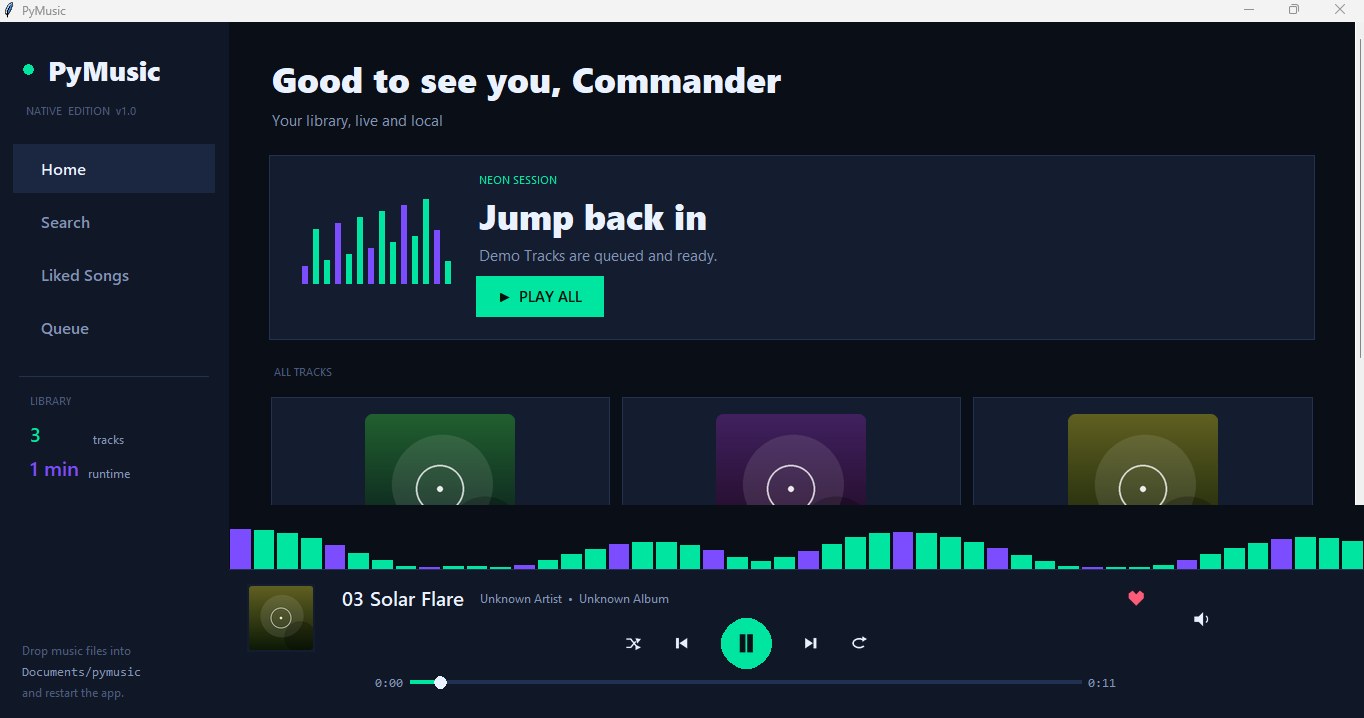
No streaming tiers, no social feeds, no bloat. Just the features that matter when the music is already on your disk.
MP3, WAV, FLAC, OGG, M4A, AAC, WMA, OPUS and more. Point it at a folder and it finds every track, recursively.
Bars react to the actual decoded audio of the playing track — real energy, not a canned animation.
Reads embedded artwork and metadata. Tracks without art get unique generated covers instead of a grey box.
Heart what you love. Likes, volume, shuffle and repeat are remembered between sessions.
Space to play, arrows to skip, Ctrl+F to search, F5 to rescan after you drop new files into your folder.
Right-click any track to play it next. The queue view shows what's playing, what's next, and what already passed.
No account, no cloud, no telemetry. Your listening history is nobody's business but yours.
A hand-tuned interface that looks native on Windows 11, down to the dark title bar.
MIT licensed, source on GitHub, eleven public releases with an honest changelog. Read every line if you want.
If it makes sound, PyMusic plays it.
Highlighted formats need one free helper — ffmpeg. Everything else works out of the box.
PyMusic uses ffmpeg to decode these formats locally on your machine. Nothing is uploaded anywhere. MP3, WAV, FLAC and OGG listeners can skip this entirely.
Who needs it: anyone whose library contains M4A / AAC / WMA / OPUS files. After installing, press F5 in PyMusic and the tracks will play.
No installer, no wizard, no "let's personalize your experience".
One file from GitHub Releases. 46 MB. Runs immediately — nothing to install.
Click "Add folder to library" in the sidebar. PyMusic scans it recursively for every audio file.
Hit Play All or double-click any track. Space pauses, arrows skip, F5 refreshes when you add new music.
Free forever. Open source. One download.
 PyMusic